Detailed description of ready-made products
1. Introduction to Spot Trading Spot trading refers to the exchange of one digital asset for another. For example, in the ETH/BTC trading pair, ETH is the “base currency” being tra
1. Introduction to Spot Trading
Spot trading refers to the exchange of one digital asset for another. For example, in the ETH/BTC trading pair, ETH is the “base currency” being traded, and BTC is the “quote currency” used to buy ETH.
Spot Trading Directions
•Buy: Purchase BTC with USDT at a limit price or market price.
•Sell: Trade BTC for the equivalent amount of USDT at a limit price or market price.
Types of Spot Trading Orders
•Limit Order: A buy or sell order at a specified price or better. A limit order cannot guarantee execution.
•Market Order: A buy or sell order executed quickly at the best available market price.
Spot Trading Fees
•Taker: Refers to taking liquidity from the order book by matching an order with an existing maker order. Takers typically “take” orders.
•Maker: Refers to providing liquidity to the order book by placing an order that waits to be matched. Makers typically “make” orders.
2. How to Conduct Spot Trading——Fund Transfer
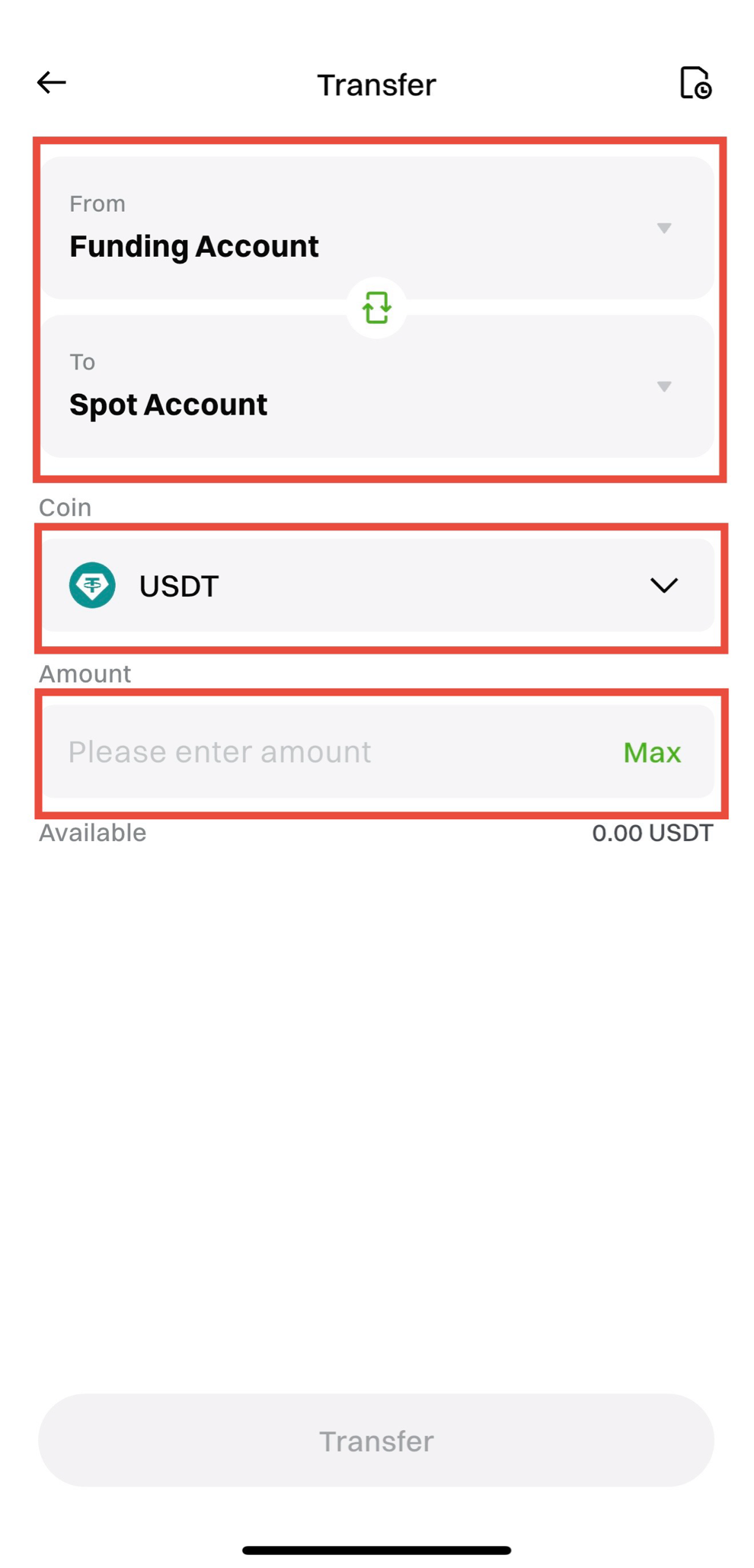
Before conducting spot trading, you need to transfer digital assets (such as USDT, BTC) from your funding account to your trading account.
Steps to Operate:
1.Open the MGBX App and log in.
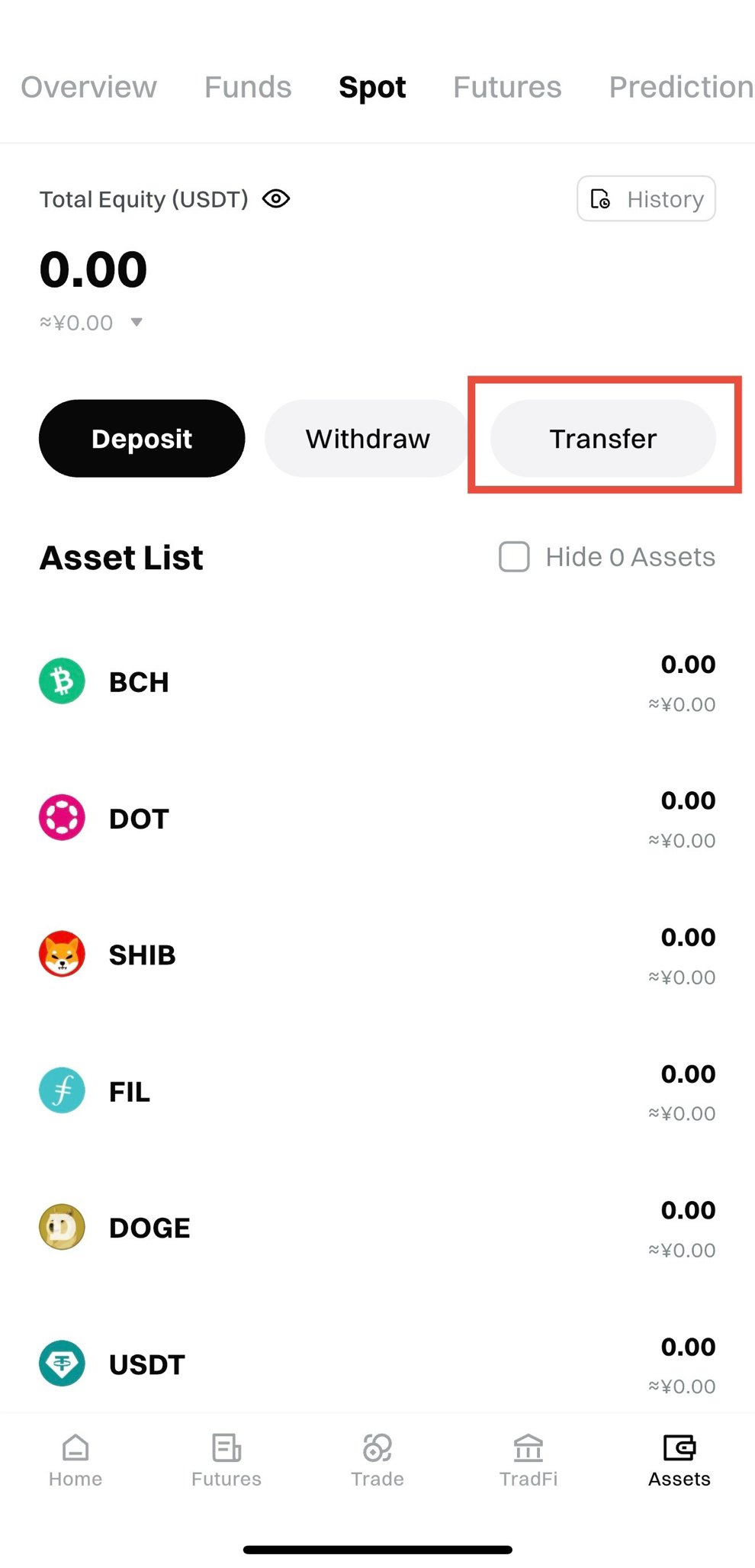
2. Click on Assets > Spot > Transfer.
3.Select the currency (for example, USDT) and transfer from the Funding Account to the Spot Account.
4. Enter the amount to transfer and click Confirm Transfer.
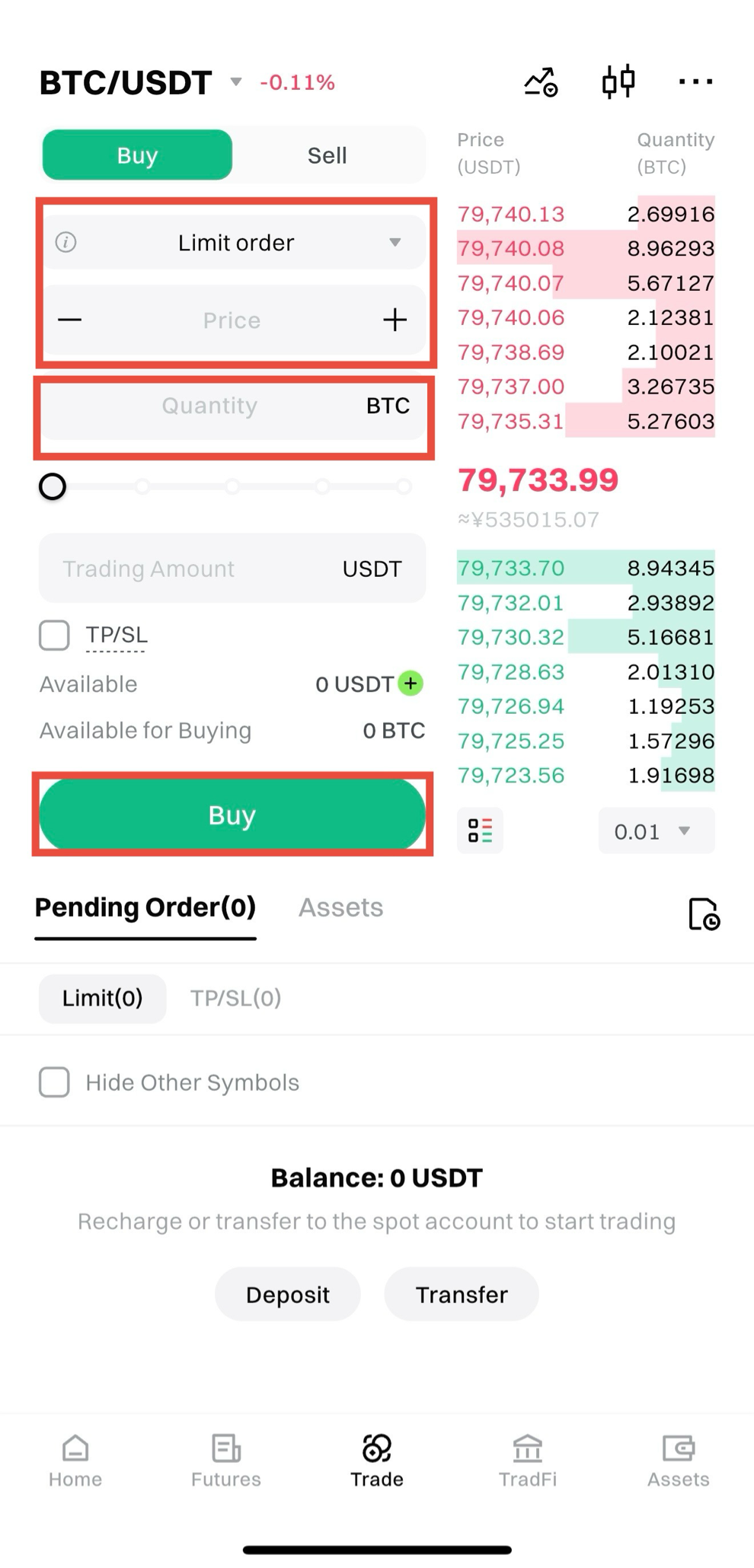
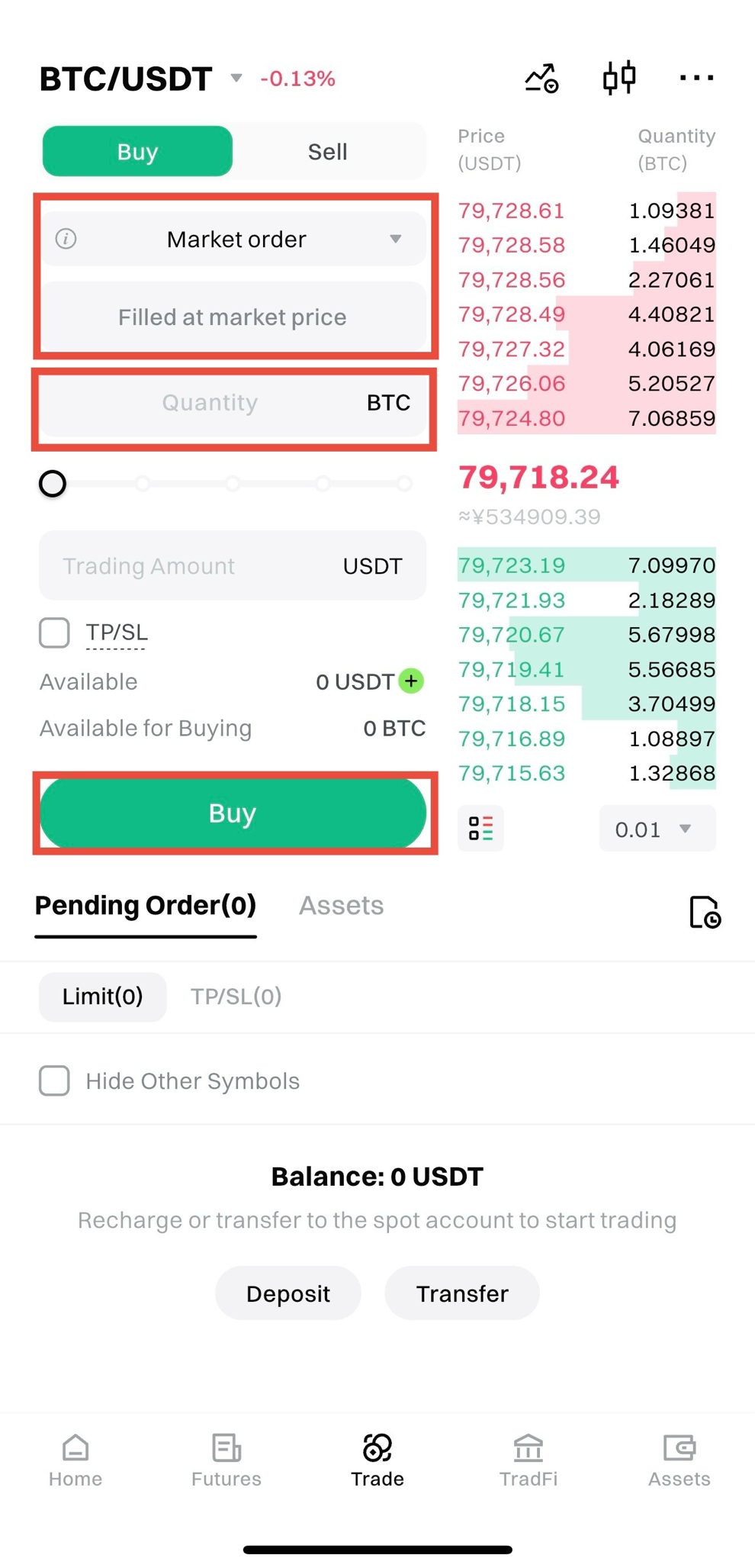
3. How to Conduct Spot Trading——Buy Operation
Using BTC as an example, here’s how to perform a buy operation in the MGBX App:
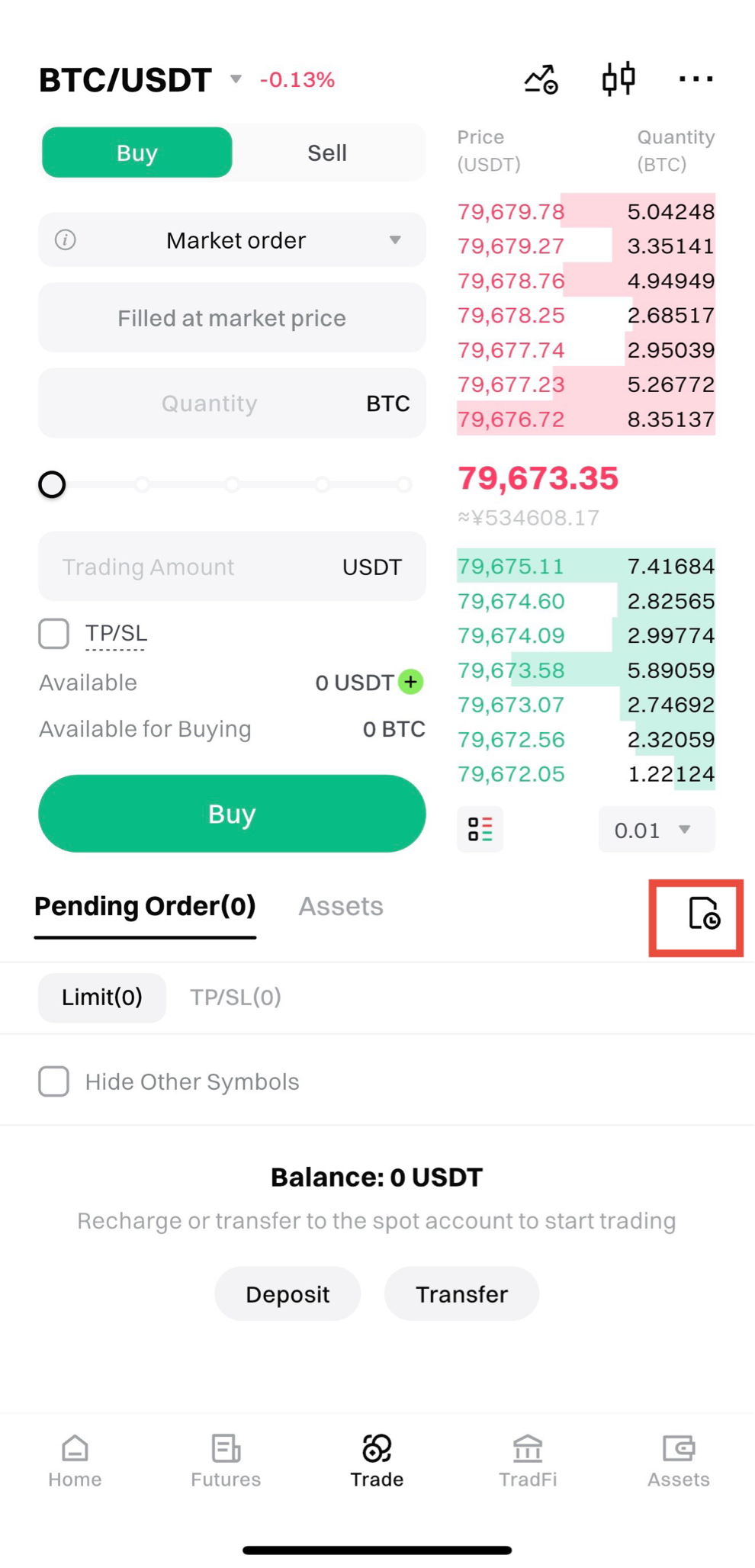
1.Open the app and go to the Trading page.
2.Click the trading pair box in the upper left corner and select the trading pair (for example, BTC/USDT).
Limit Order:
•Enter the price and quantity.
•Click Buy BTC to place the order.
Market Order:
•Enter the quantity or transaction amount.
•Click Buy BTC to place the order.
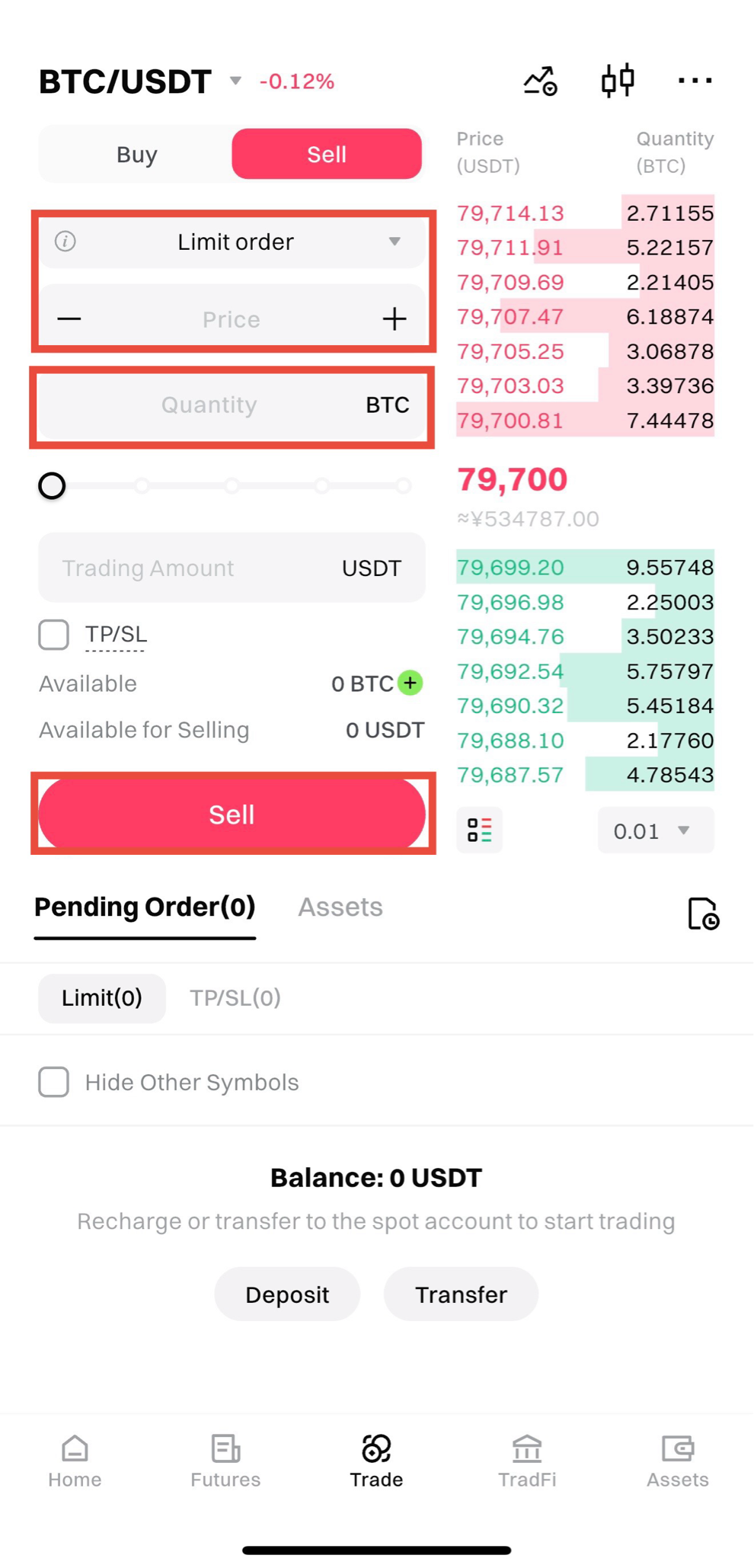
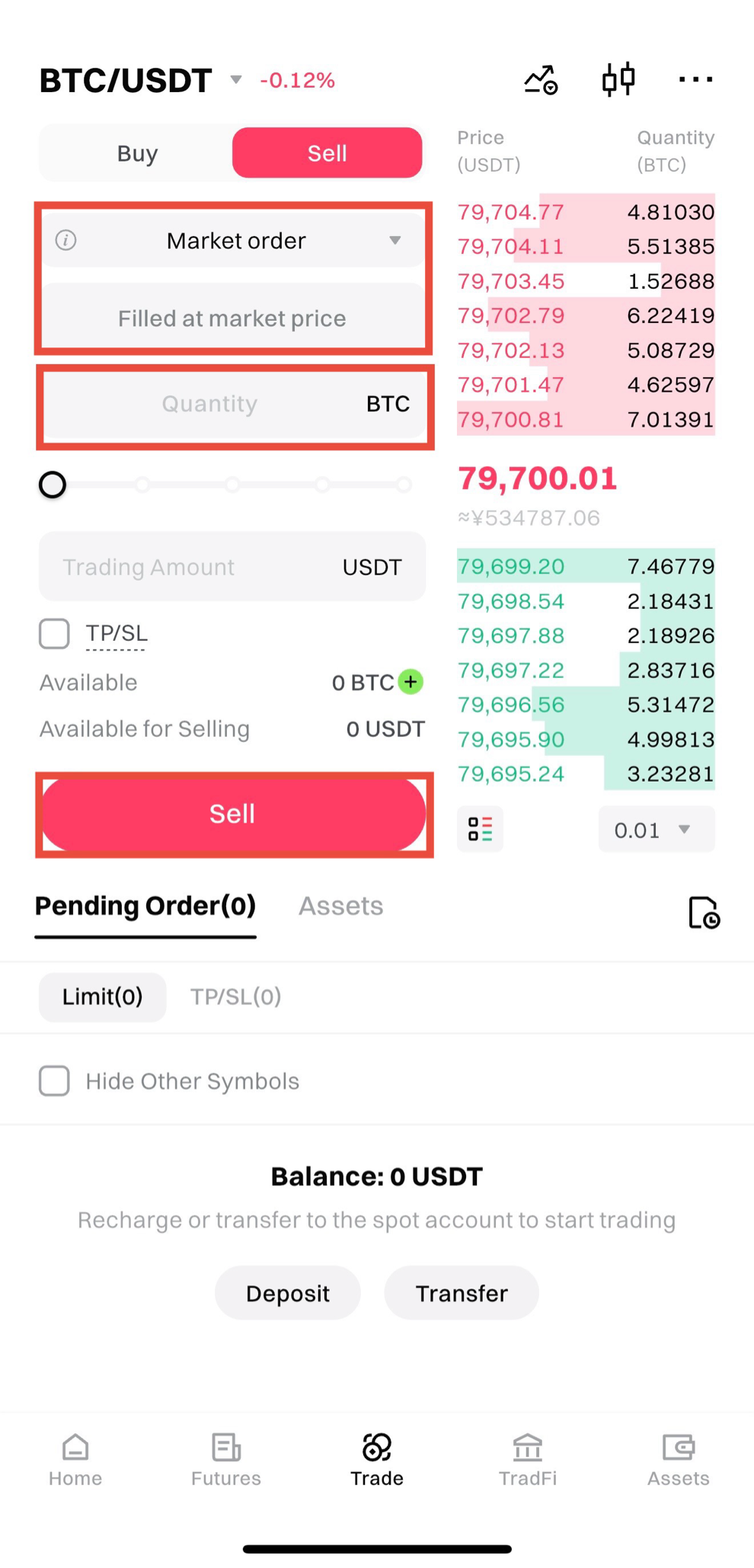
4. How to Conduct Spot Trading——Sell Operation
Using BTC as an example, here’s how to perform a sell operation in the MGBX App:
1.Open the app and go to the Trading page.
2.Click the trading pair box in the upper left corner and select the trading pair (for example, BTC/USDT).
Limit Order:
•Enter the price and quantity.
•Click Sell BTC to place the order.
Market Order:
•Enter the quantity or transaction amount.
•Click Sell BTC to place the order.
5. Viewing the Candlestick Chart (K-Line)
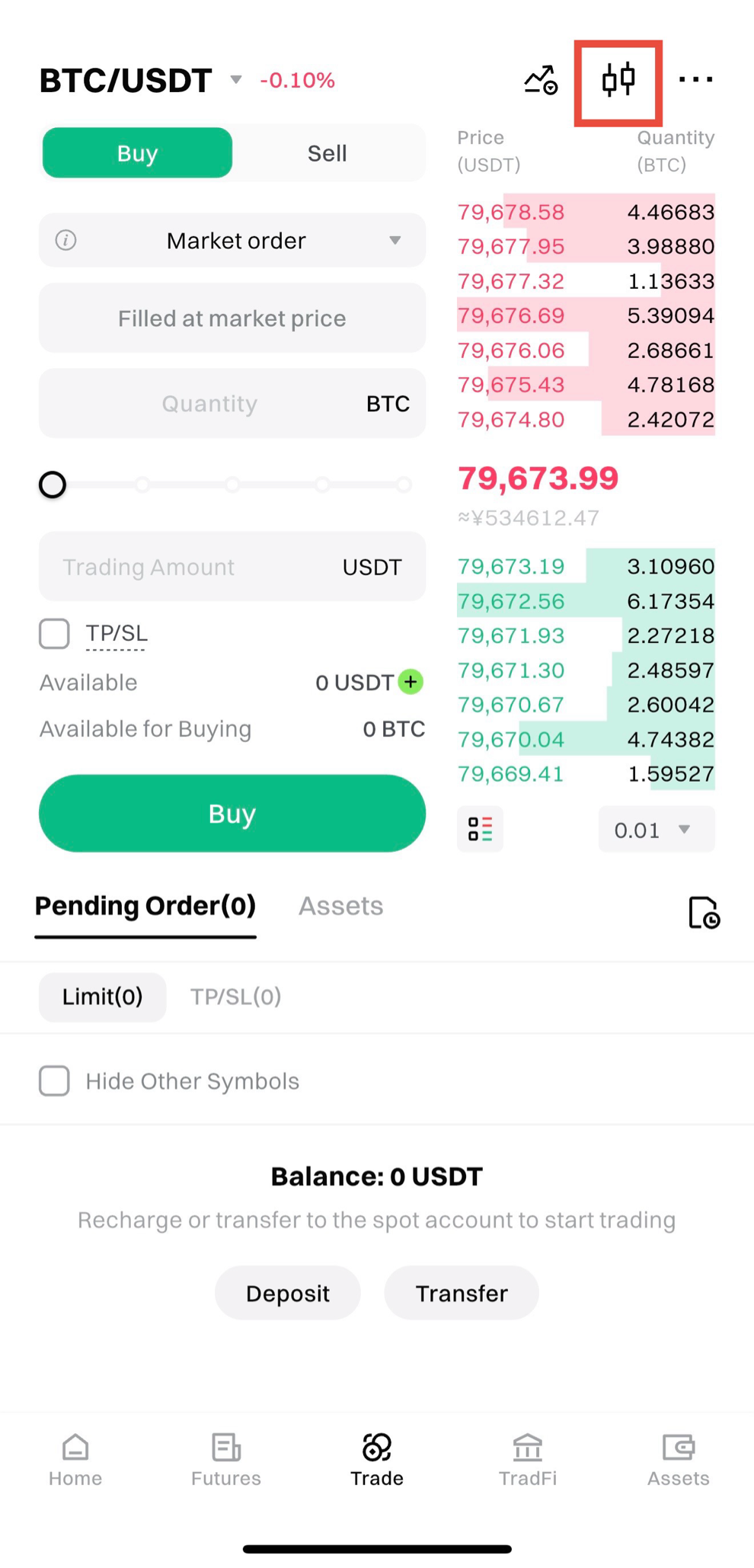
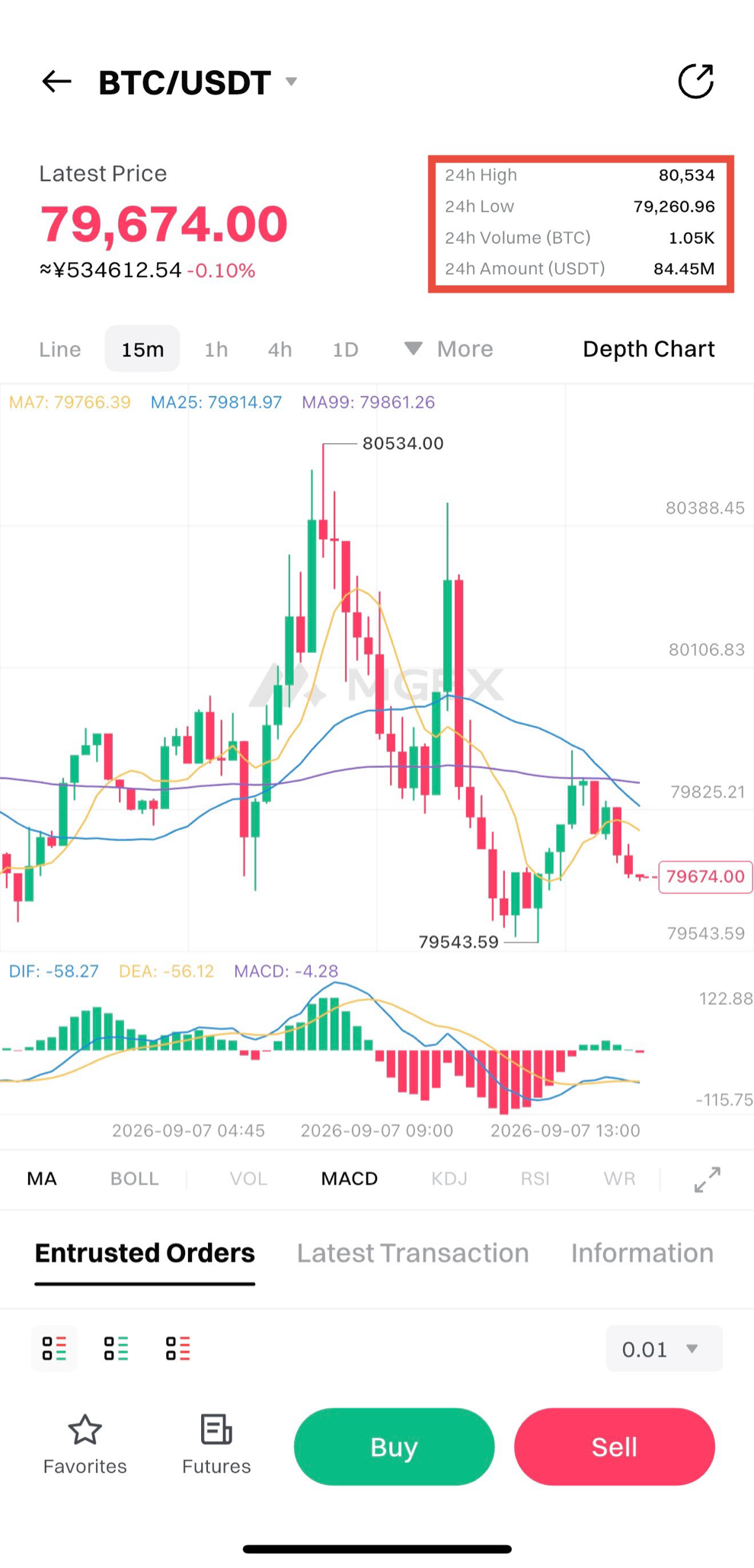
Click the K-Line button in the upper right corner to enter the K-Line details page.
On this page, you can view:
•24-hour trading data
•Trading depth
•Real-time transaction records
6. Viewing Order Book Information for Trading Pairs
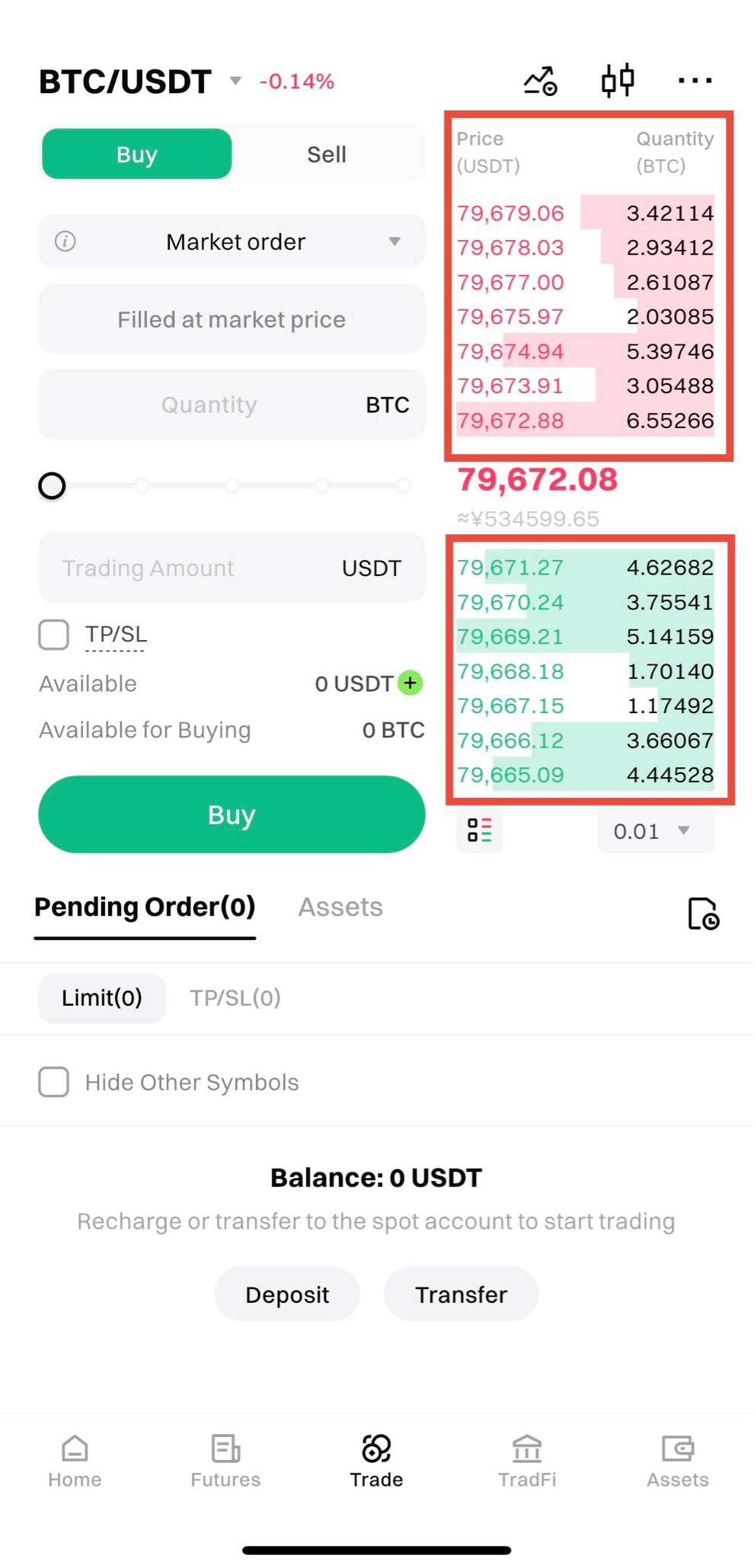
On the Buy/Sell page, you can view the order book depth data on the right side.
The order book displays the buy and sell orders:
•Red above: Represents sell orders
•Green below: Represents buy orders
7. Viewing Order Information
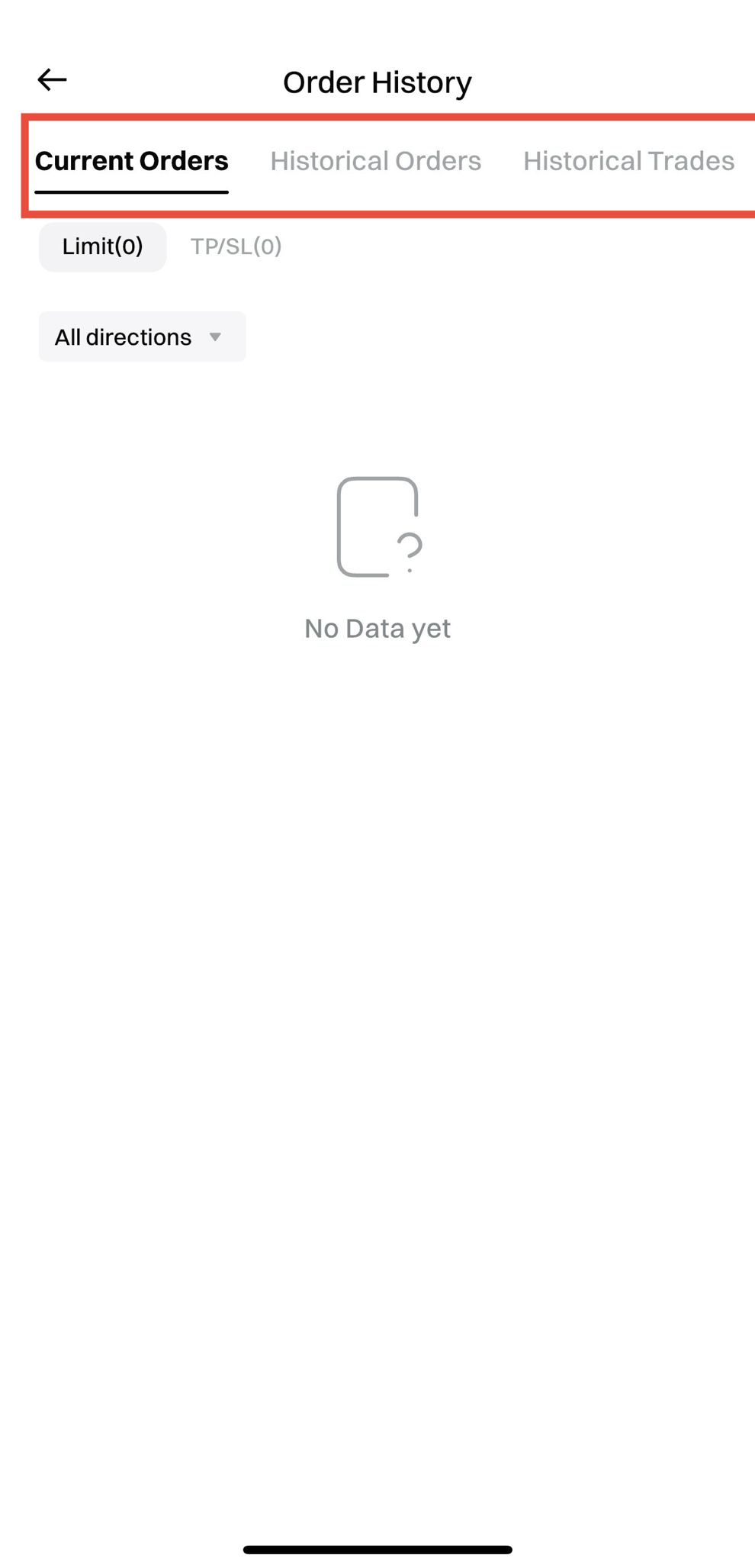
On the Buy/Sell page, you can view Current Orders information at the bottom.
Click the All button on the right to view the following information:
•Current Orders: Orders that are either not yet executed or partially executed.
•Order History: Orders that are fully executed, partially executed (or canceled), or canceled.
•Transaction History: Details of orders that are partially or fully executed.
•Fund Flow: Records of changes in account funds.